
Before we head on to change nameservers on GoDaddy we should know what is a nameserver in brief.
A concise about DNS as well as required.
WHAT IS A DNS SERVER?
DNS(Domain Name System) server is the software holding a massive database that manages and maps the website names along with their corresponding IP addresses.
When any search term is requested in Google or other search engines, then it actually goes to the server where the website is hosted and points to its corresponding IP address.
WHAT IS A NAME SERVER?
Nameservers are the elemental part of DNS. Nameserver manages all the domain name records and translates domain names into IP addresses. Specifically, nameservers allow websites to use domain names instead of IP addresses.
If we had to use IP addresses instead of domain names imagine how difficult it would be to open up sites like Facebook, Google, and all others.
Every website points to 2 nameservers.
Let us find out GoDaddy default nameservers.
HOW TO FIND GODADDY DEFAULT NAMESERVERS?
1. Log in to your GoDaddy account.
2. Go to WebHosting and Manage.
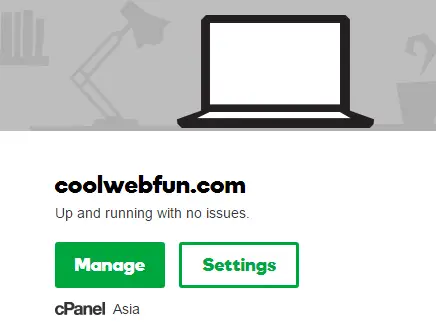
3. CPanel hosting account will open up.
Scroll down to Domains>DNS Manager.
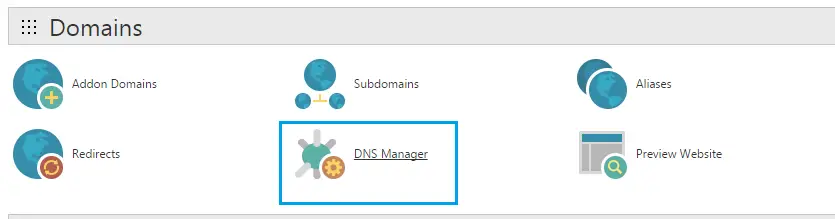
4. Click on Manage DNS.
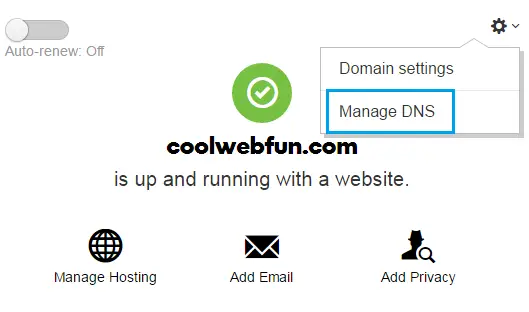
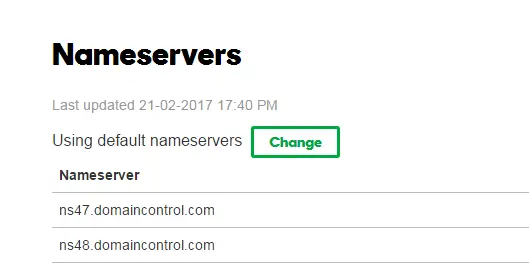
5. Here come your default nameservers of GoDaddy.
HOW TO CHANGE GODADDY NAMESERVERS
1. If you wish to change the nameservers of Godaddy then click on the ‘Change’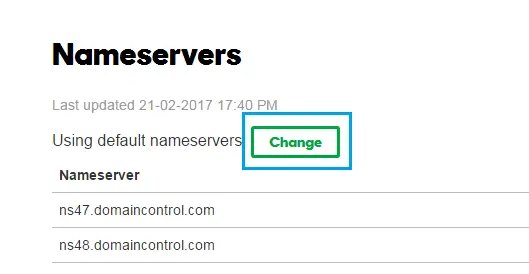
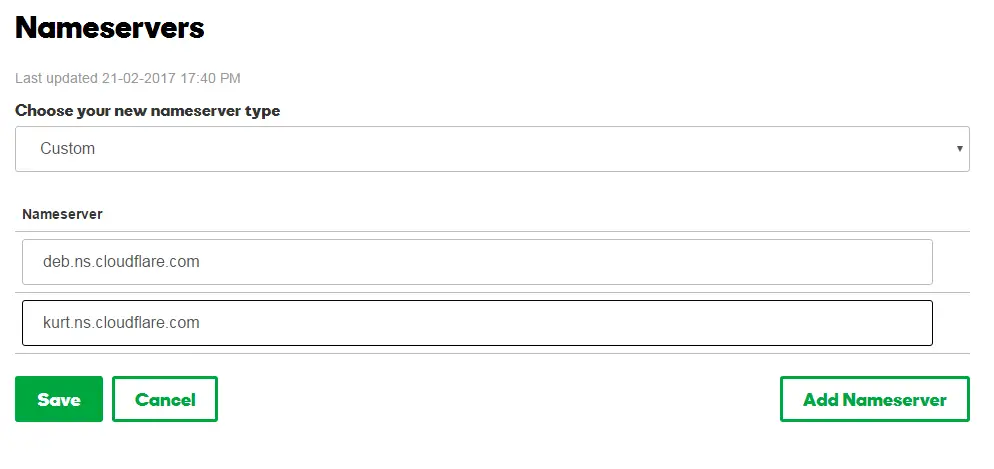
2. Choose your nameserver type as ‘Custom’ from the drop-down list.
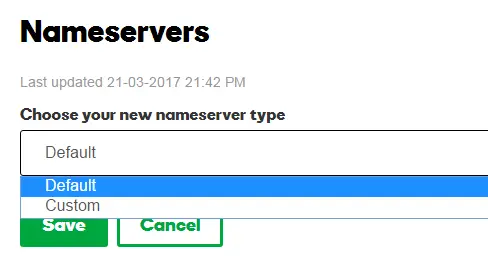
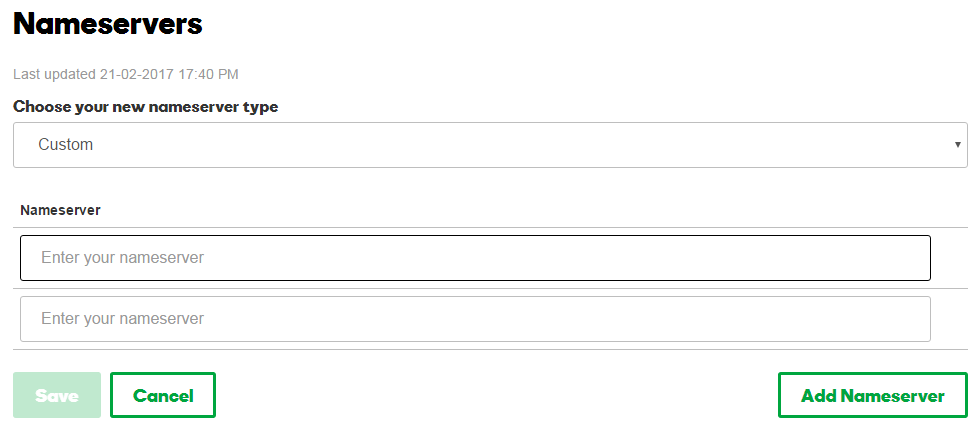
3. Once you select ‘custom’, you will get the option to enter the desired nameservers here.
DNS CONFIGURATION FOR CLOUDFLARE
If you are aware of any CDN (Content delivery network) then you must have heard about Cloudflare. Any CDN is very helpful for decreasing the load time of the website.
Here I am taking the example of Cloudflare DNS configurations to clarify the DNS setup of nameserver change in GoDaddy.
1. After adding your website URL to CDN Cloudflare, you will be asked to change nameservers settings.
2. Copy the nameservers given by Cloudflare.
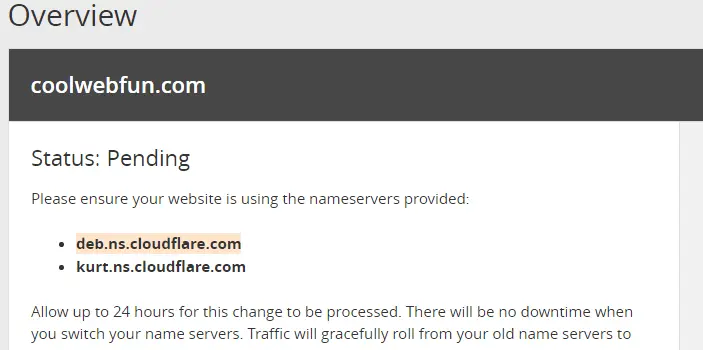
2. Go to custom nameservers and add the given.
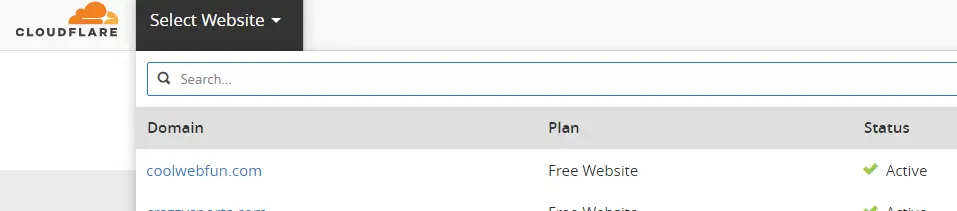
3. Go back to cloud-flare settings and you will see that your domain name status is active.
DOES CHANGING NAMESERVERS AFFECT EMAIL GODADDY?
WRAPPING UP
Now you know how to change nameservers GoDaddy which is required while setting up CDN channels.
If you are not using any CDN, I would recommend using Cloudflare as it is free and increases the website speed subsequently.
Check out the complete Free Cloudflare CDN settings.
Leverage your browser cache and use a proper image optimizer to improve your page speed substantially.
Find out all the factors which affect website site speed.


